How to Access HT Parental Controls
You can access HT Parental Controls as any other program using its desktop icons or Windows Program menu. However, if you hide the program, use shortcuts or the access work.
First Way — Access Word
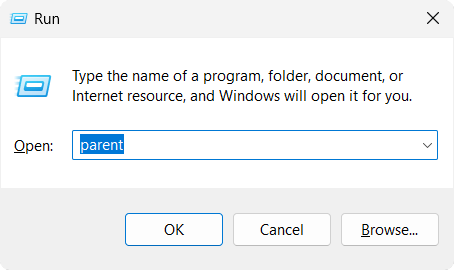
- Press the Windows key + R simultaneously.
- Enter parentin the window which appears.
Second Way — Shortcuts
Press the keyboard shortcuts Shift+Ctrl+Alt+Z.
Note you can customize the shortcuts on the General Settings tab.
The shortcuts open the HT Parental Controls control panel only if the program works in the background. If it is not run, use the access word parent to run it.