All-in-One Parental Control Software to Safeguard Your Family
Safeguard
An all-in-one reliable solution for Windows to block harmful sites, filter inappropriate content, and ensure a safe online experience for your children.
Supervise
Get a complete view of your child’s activities: track websites, apps, searches, and get visual reports to stay informed and avoid hidden dangers.
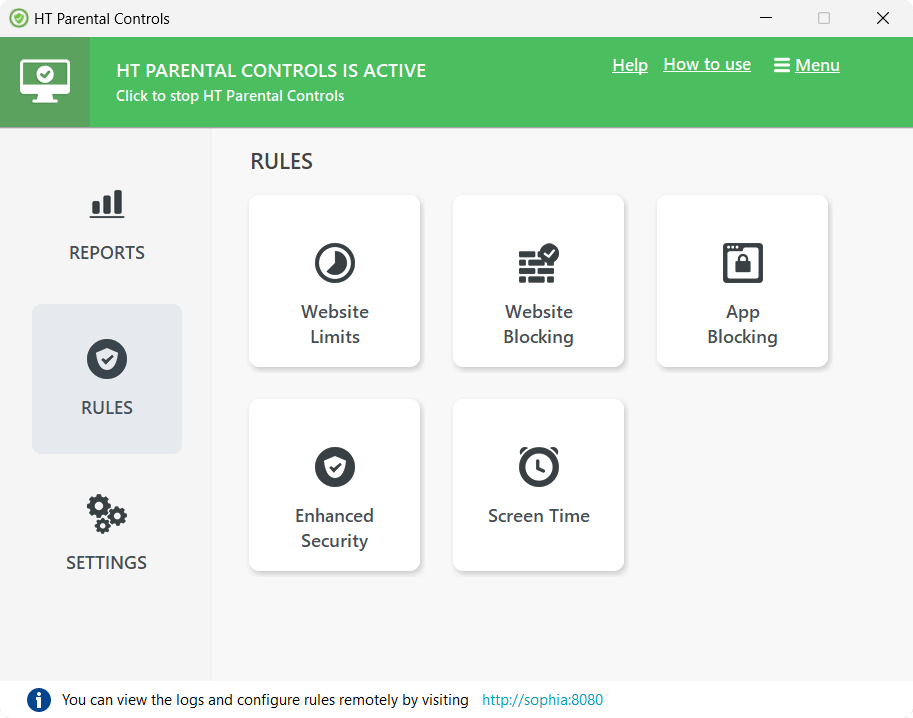
Set Rules
Take control by establishing boundaries: block unwanted websites, manage screen time, limit distractions like games, social media, videos, and more.
The Most Feature-Rich Parental Control Software for Windows
HT Parental Controls Main Screen
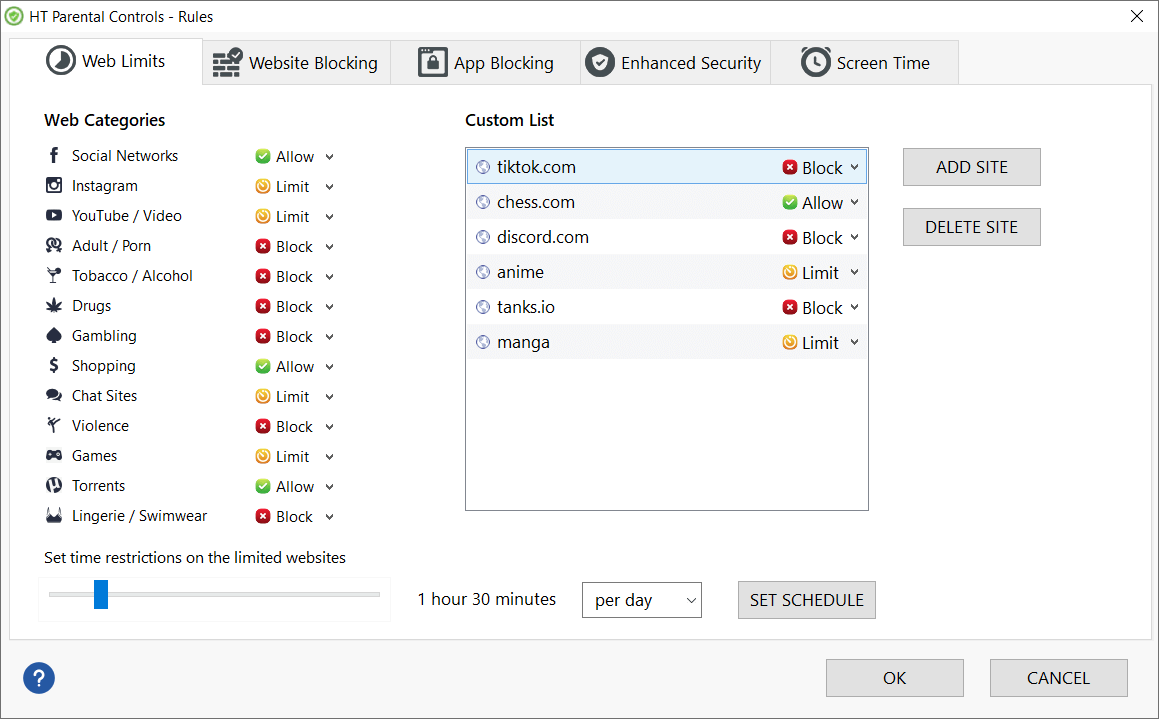
Website Limits
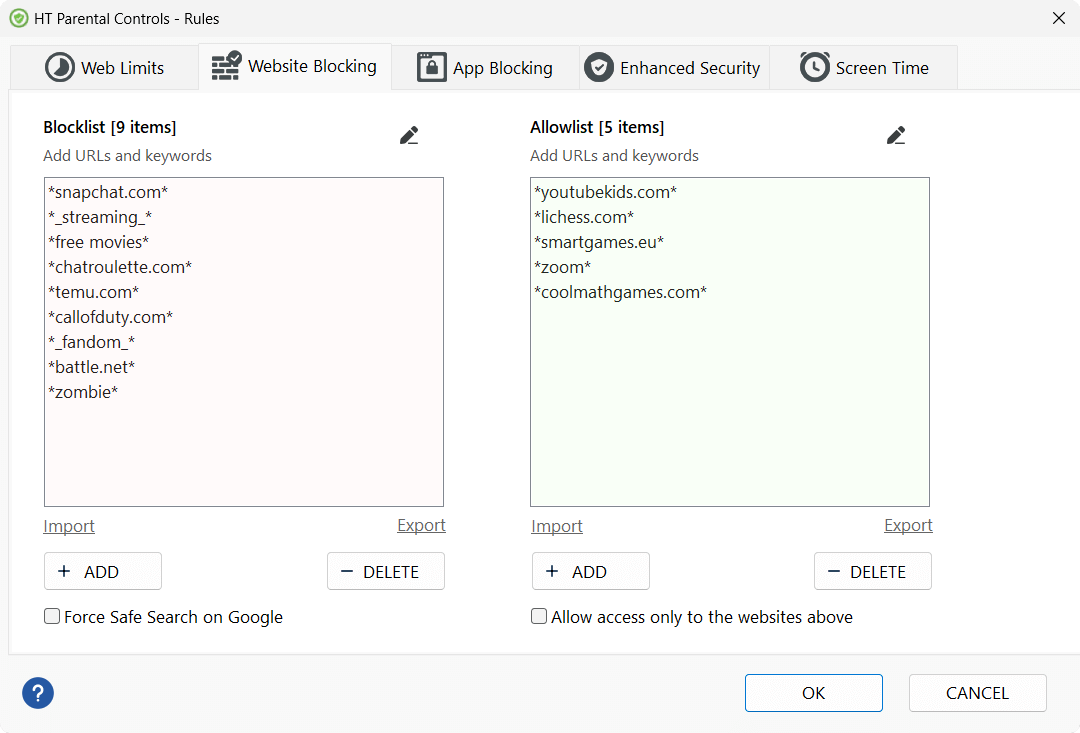
Website Blocking
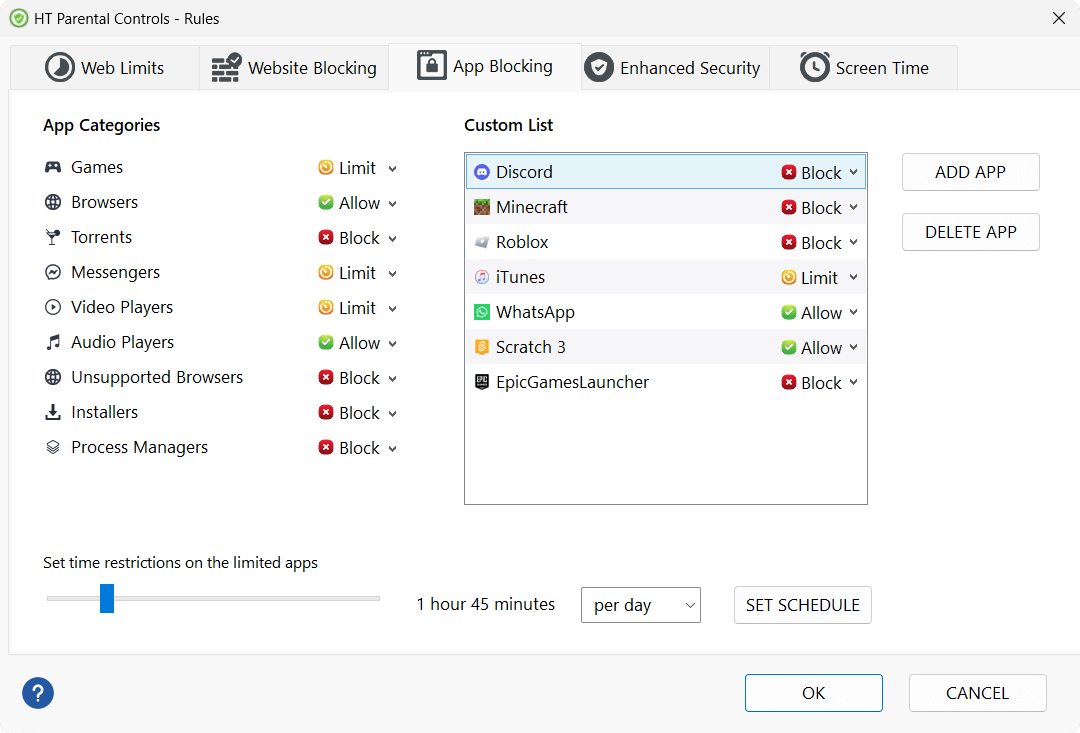
App Blocking
Screen Time
App Reports
Website Reports
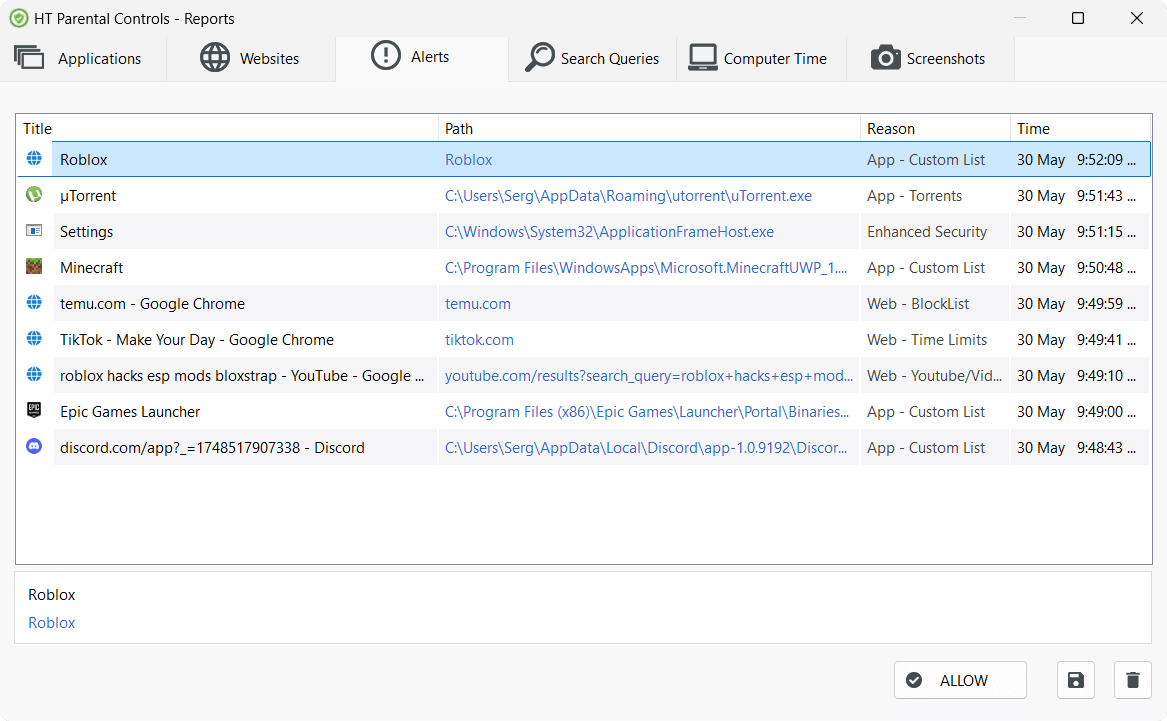
Alerts
Search History Oversight
Visual Reports
Email Reports
Remote Management
Monitoring Features
Get comprehensive insights into your child’s digital activity for their safety
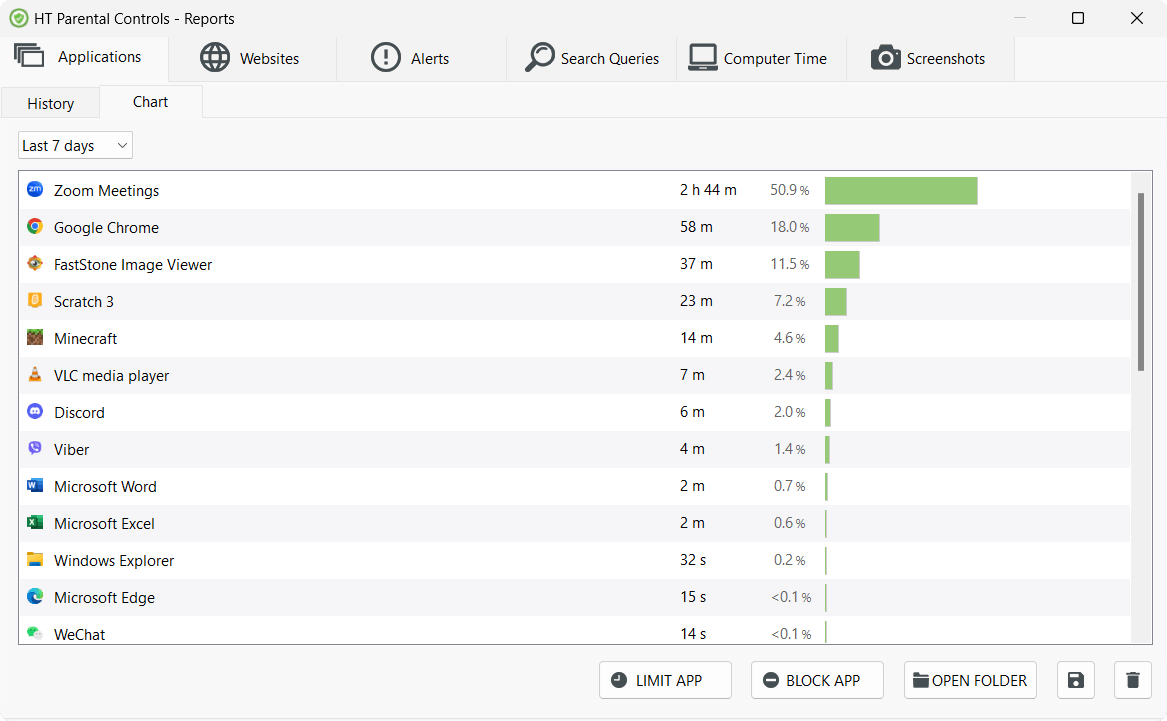
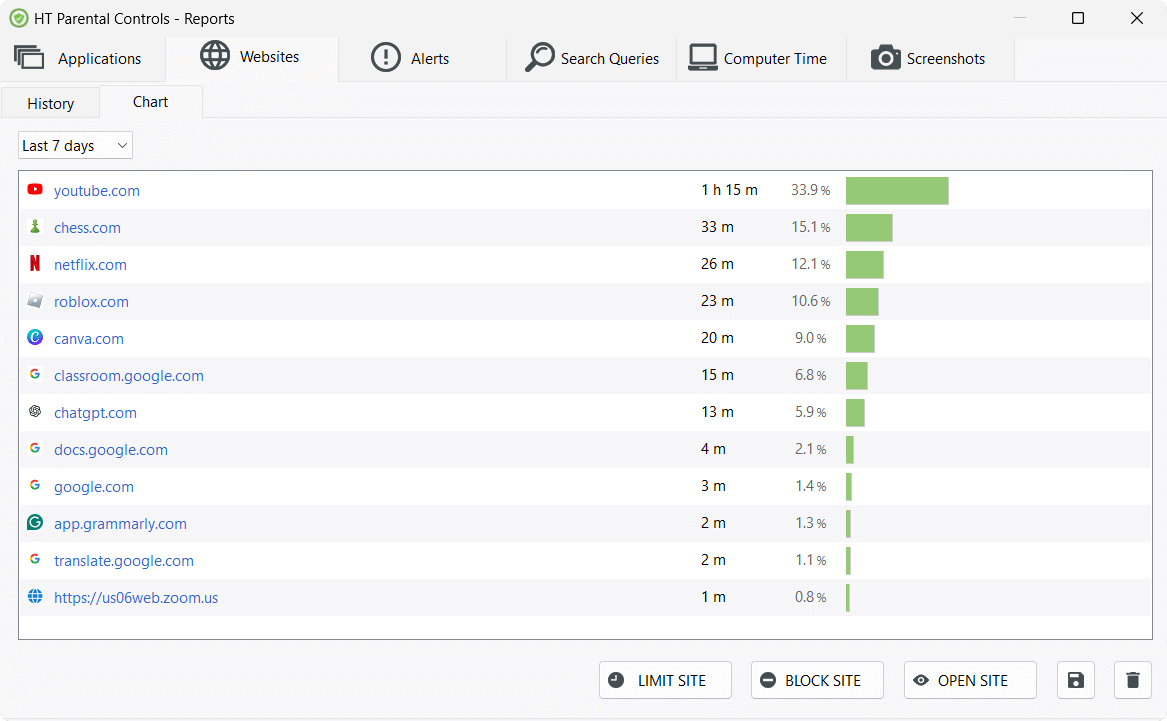
Website & App Reports
Our parental control software reports all visited websites and opened apps, providing parents with detailed activity reports. Easily see what your children are doing and ensure everything is under control.
Visual Reports
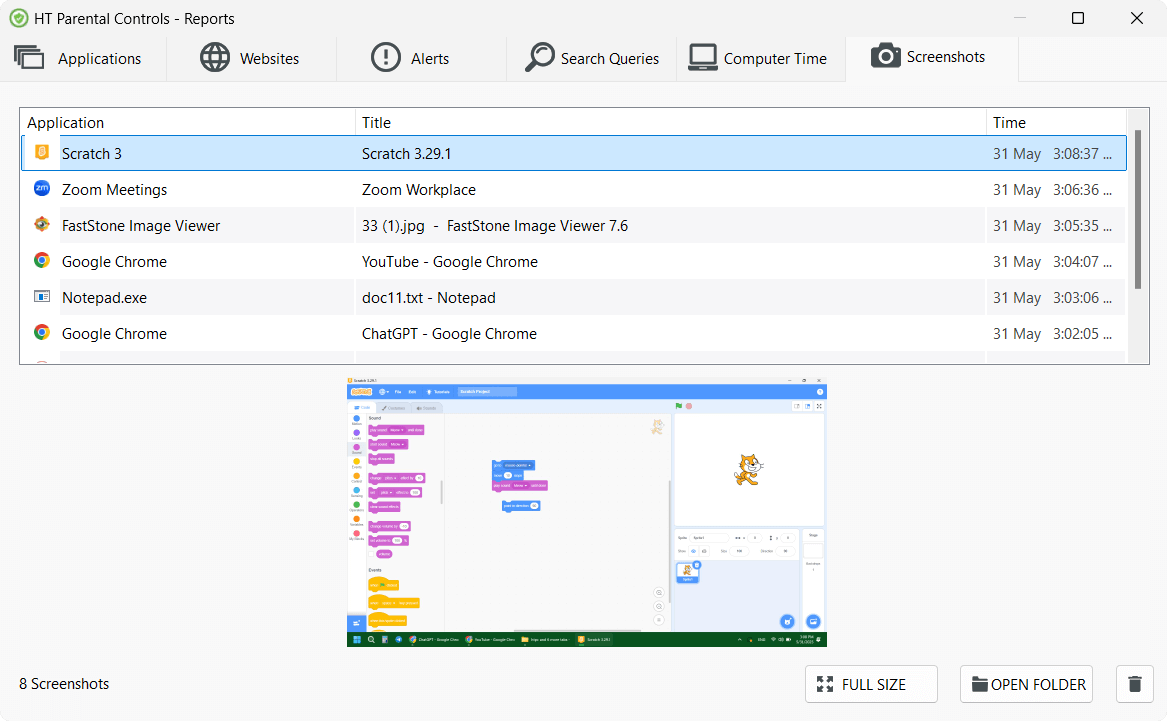
A picture provides context for your child’s safety. HT Parental Controls captures the screen at set intervals to help you review activity and ensure a safe digital environment.
Safe Search Supervision
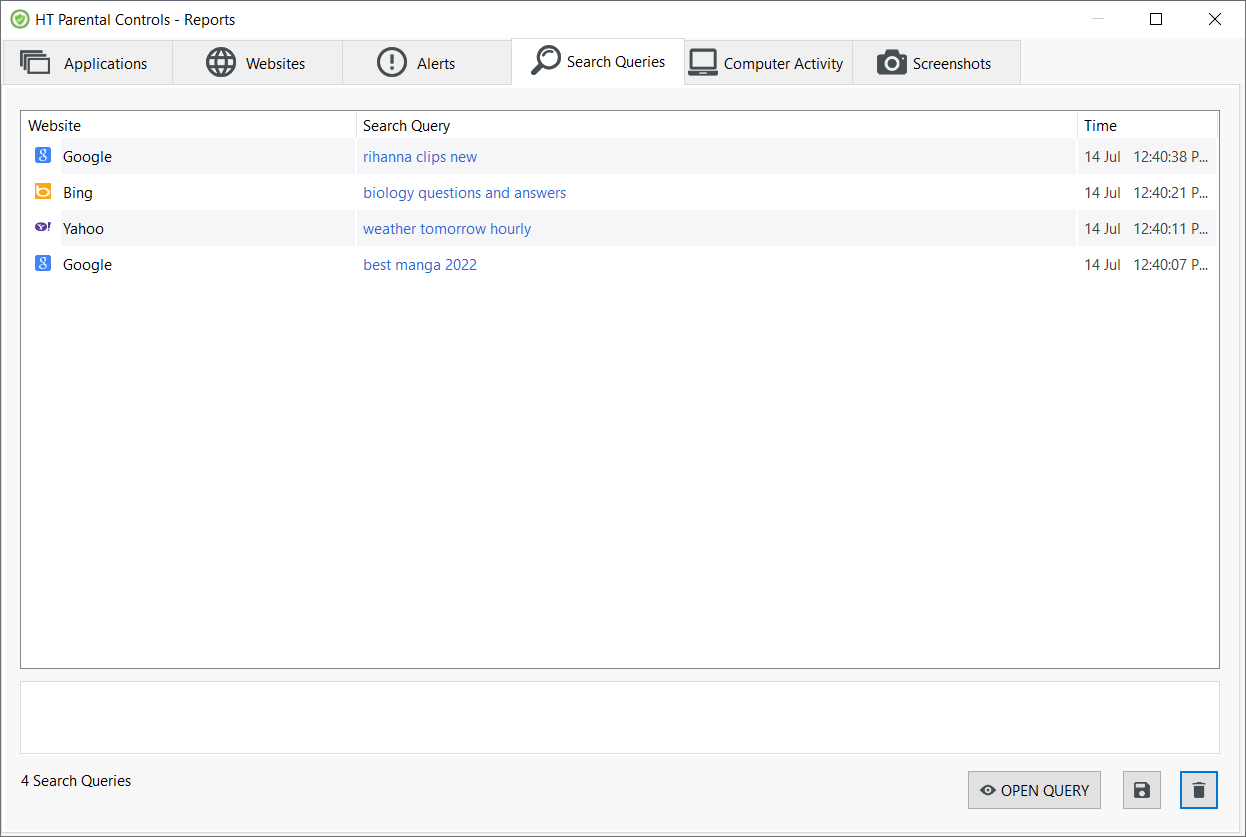
Understand your child’s interests and spot potential issues. HT Parental Controls gives detailed reports of all searches on Google, Bing, YouTube, Facebook, and more.
Blocking Features
Set your rules for computer use and keep your child away from cyber threats
Website Blocking
Keep inappropriate content away. Block content categories, specific sites, and keywords, and limit time on distractions like social media, games, and videos. Control what your child can access and set clear limits.
App Blocking
Effortlessly block any app on your child’s computer’games, messengers, chats, or other unwanted software. For detailed steps on blocking games specifically, see our game blocker app guide.
Screen Time
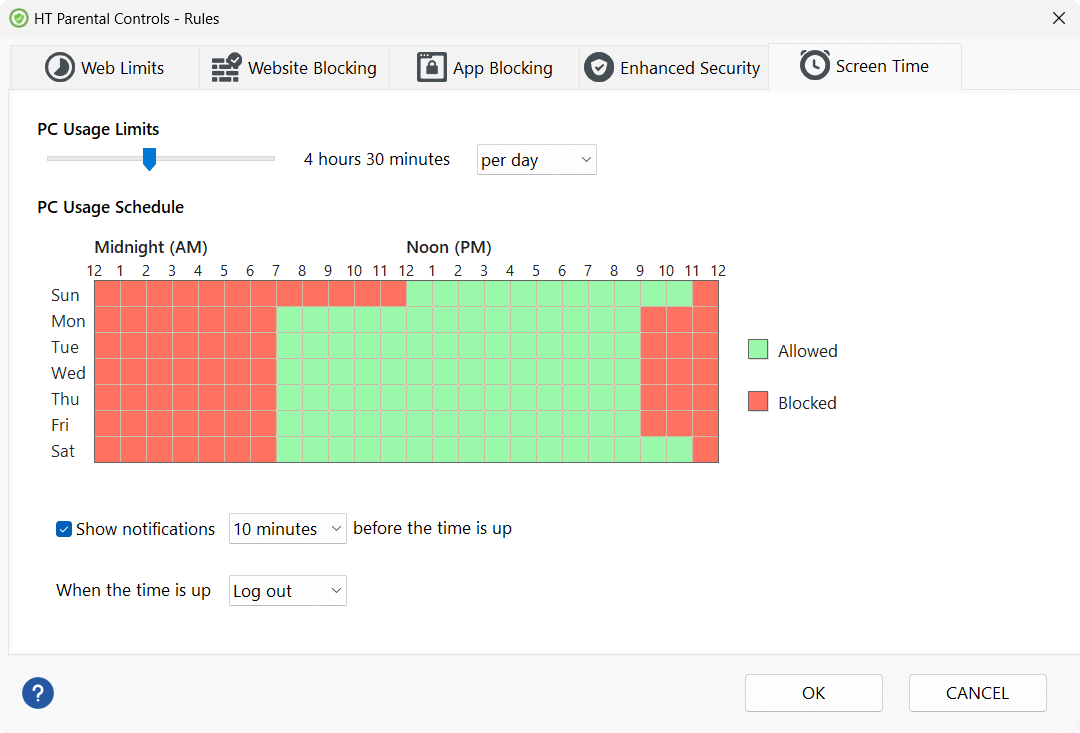
Easily manage your child’s computer time with daily and weekly limits. Set schedules or max hours per day, and HT Parental Controls will automatically turn off the PC once time is up.
Get started with three 3 simple steps!
Step1
Download and Install
Download and install HT Parental Controls on your child’s computer.
Step2
Set up the Rules
Specify what is allowed on your computer and what is not.
Step3
Relax
The computer is under your protection. View reports and correct your rules, as needed.
Our Customers Recommend It
More Benefits
Keyword Blocking
Block websites containing keywords from your 'Blocklist'. Add unwanted terms to prevent access to thousands of inappropriate sites. Smart filters compatible with all major browsers.
Consistent Filtering Rules
Apply the same website filtering and restriction rules across your child’s Windows PC for more predictable everyday protection.
All Browsers and Languages
Our parental control for Windows works with major browsers such as Chrome, Edge, Firefox, Opera, and Brave, and can block unsupported browsers with one click. It also filters content in all languages.
Strong Protection
Equipped with enhanced security, HT Parental Controls adds an extra layer of protection to your rules and settings. Set an access password and activate 'Enhanced Security' for extra protection.
Fully Customized
The program is fully customizable to fit your needs. You can create your own rules and restrictions, combining them to perfectly match your child’s habits and your family values.
Easy to Install and Use
Designed for easy setup and use, HT Parental Controls installs in under a minute. With an intuitive interface and a detailed manual, it’s simple for any parent to manage.
HT Parental Controls is designed for use by parents, legal guardians, and educational institutions only. All monitoring and reporting features require explicit consent from parents or authorized school administrators and are used exclusively to protect children and ensure a safe online environment. By downloading, you agree to our Terms of Use and Privacy Policy.