How to Uninstall HT Parental Controls
To ensure family safety, uninstallation can be password-protected by the administrator. This prevents accidental removal by children.
Follow these instructions to uninstall HT Parental Controls:
- Via Program Menu: Open the app, click Menu → Uninstall.
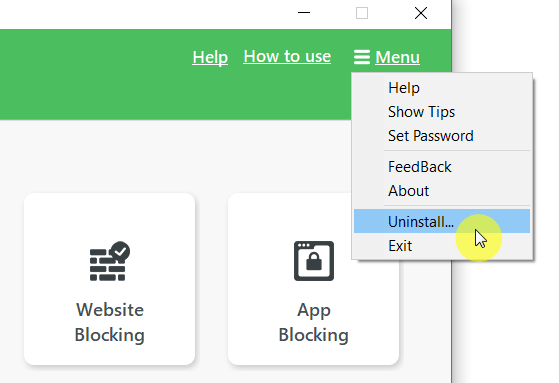
Click to enlarge
- Via Windows Settings: Go to Windows Settings → Apps → Installed Apps, find HT Parental Controls, and click Uninstall.
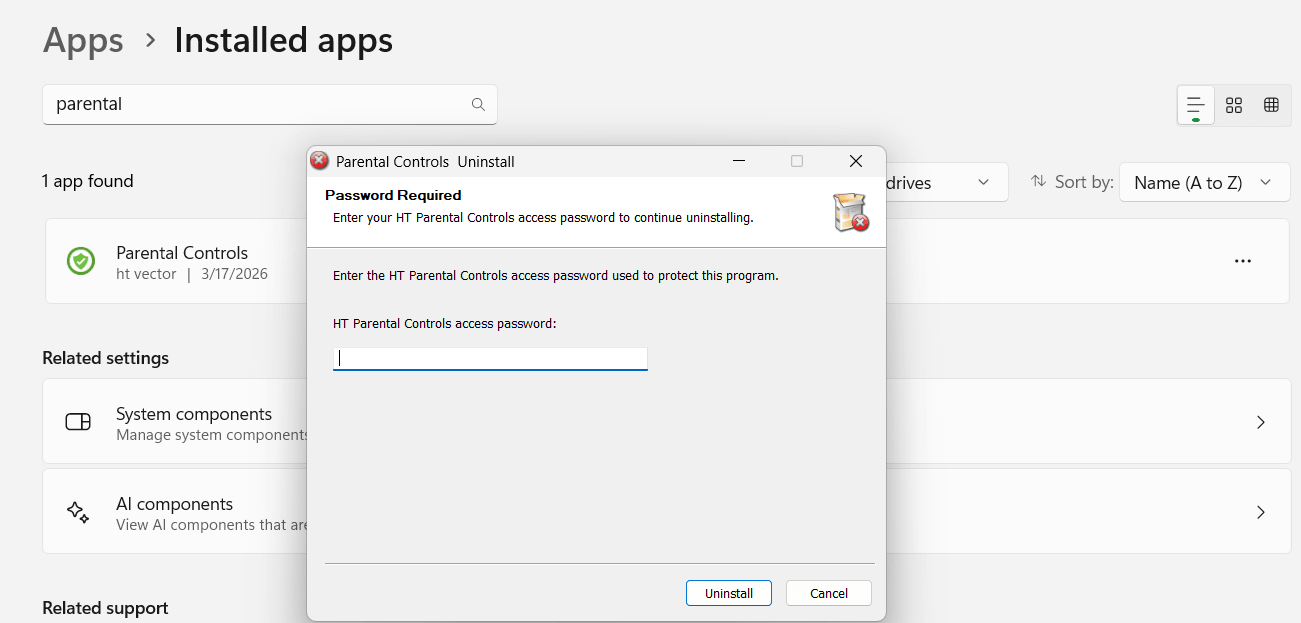
Click to enlarge
Back to HT Parental Controls Help Center
Have any questions?
Please do not hesitate to contact us. We’re here to help.
Contact us