Download HT Task Vector
for Windows onlyYour download will begin automatically in a few seconds. If it doesn't, click here.
Installation Steps
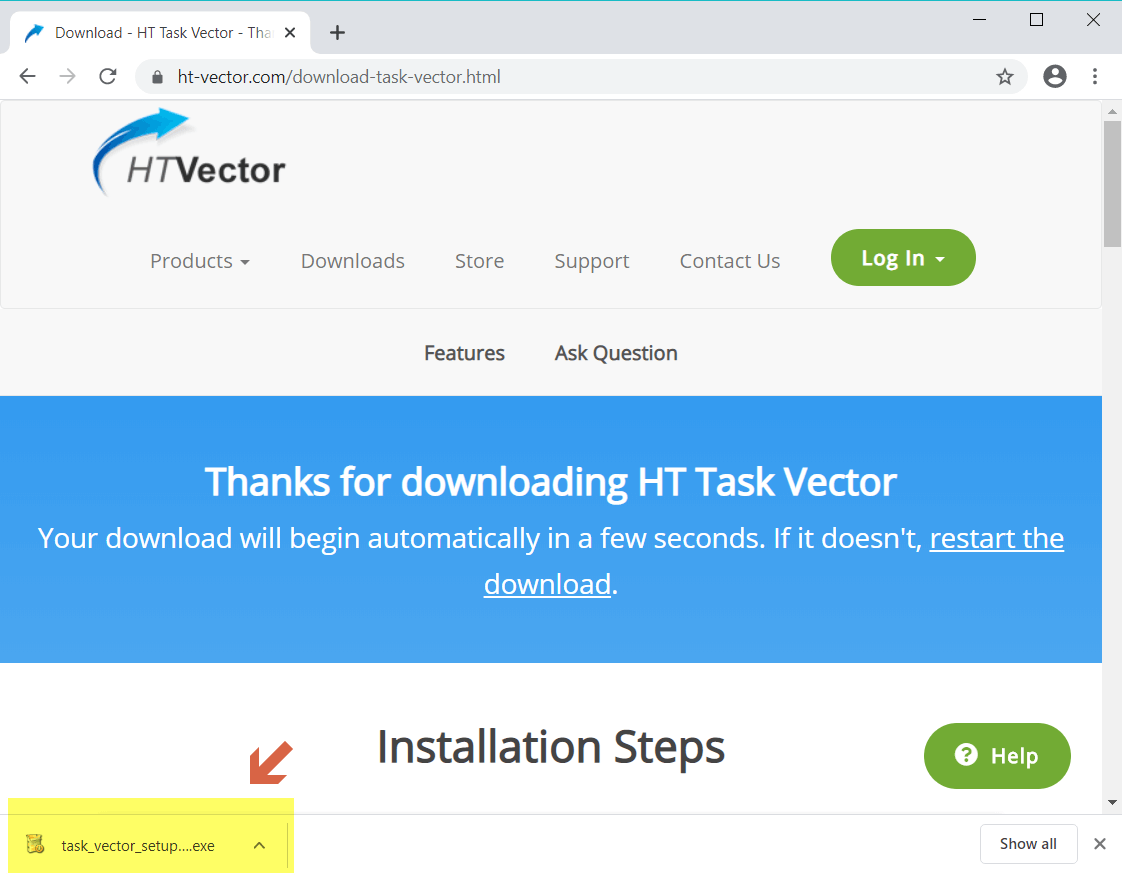
Step 1 – Download
Download task_vector_setup.exe on your or your team’s computer(s), then run the installer.
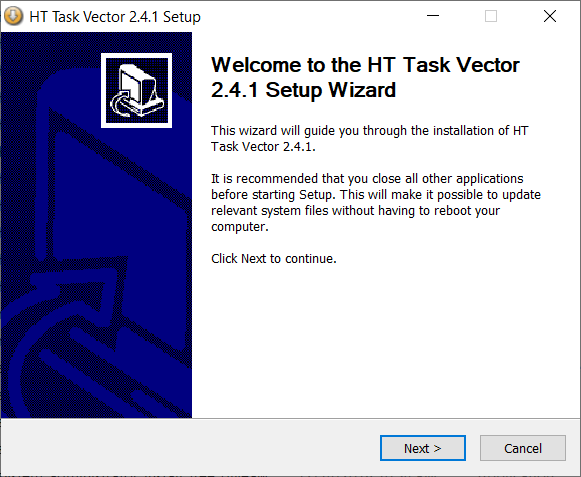
Step 2 – Install and Sign up
Install the HT Task Vector app by following the on-screen instructions. Then open the app and sign up or sign in.
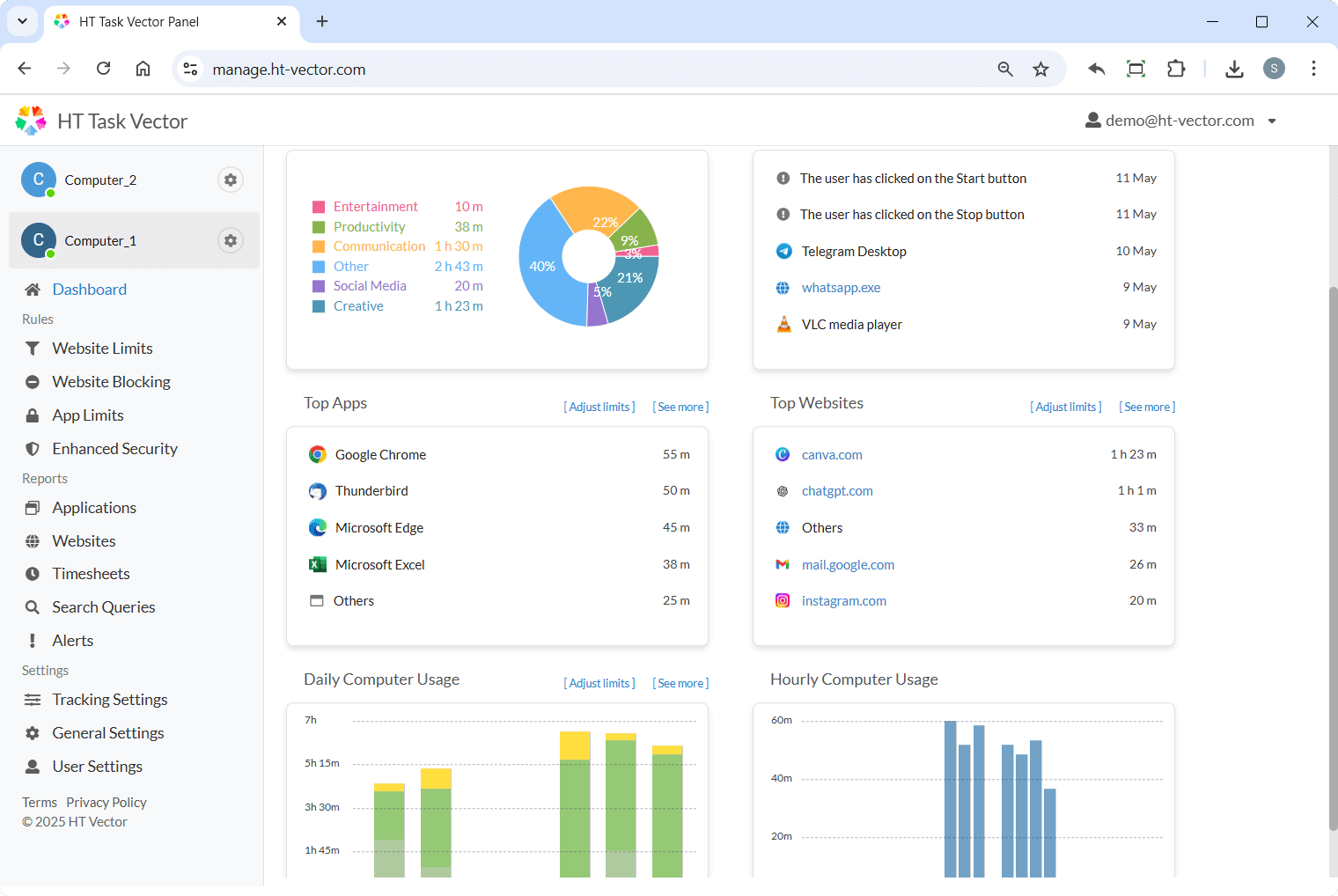
Step 3 – Open Online Dashboard
Use your admin device to visit https://manage.ht-vector.com/ and manage your team’s computer(s) remotely.
FAQ
Absolutely. It is our primary time tracker with a fully Online Dashboard. This means you can monitor and manage your team from anywhere in the world. As long as the Windows laptops or PCs have an internet connection, you can track productivity in real-time.
The software is compatible with Windows 11, 10, 8, and 7, including Windows Terminal Servers. It provides seamless tracking for each user session, making it ideal for multi-user server environments.
HT Task Vector improves productivity by helping teams stay focused and managers make data-driven decisions. The software allows you to:
- Identify distractions by tracking time spent on applications and websites.
- Limit non-work activities using schedules and filtering rules instead of fully blocking access.
- Reduce idle time by clearly distinguishing between active work and inactivity.
- Encourage accountability with transparent reports visible to both managers and employees.
- Optimize workflows by understanding how work time is actually distributed across tasks.
Yes. Using the Schedule feature in General Settings, you can automate the program to start and stop based on your team’s shifts. You can set it to monitor and filter distractions only during working hours, ensuring that tracking automatically pauses when the workday is over. Find out how
The dashboard serves as a centralized hub for all your data. You don’t need to be on the same network as your employees; simply log in to your account to view time-tracking reports in real time, see which apps are being used, and update blocking rules for any remote user instantly.
HT Task Vector offers comprehensive coverage across all major browsers, including Google Chrome, Microsoft Edge, Mozilla Firefox, Opera, Tor, and Brave. Since the tracking happens at the system level, it accurately logs time spent on websites even in Incognito or Private browsing modes.
Yes, this is essential for accurate time tracking. HT Task Vector detects when the computer is turned on but no user activity is present (no keyboard or mouse movement). In your reports, you will see a clear distinction between Active Time (actual work) and Idle Time (breaks or inactivity), allowing you to objectively evaluate team productivity.