How to Block Snapchat on a Laptop: Complete Guide for Parents and Productivity
Snapchat is one of the most popular social media platforms among teenagers, but it can be a source of distraction or a concern for parents who want to ensure a safe online environment. Whether you wish to block Snapchat entirely, limit its usage, or manage screen time effectively, this guide provides easy and effective solutions using HT Family Shield.
How to Block Snapchat Completely on a Computer
If you want to block Snapchat entirely on a computer, follow these simple steps:
Note: Snapchat is essentially a web app that runs on the Microsoft Edge engine. To block it, restrict access to the Snapchat web app.
- Download HT Family Shield from here and install it on your computer.
- Create an account and log in to the online dashboard at https://family.ht-vector.com from any device with internet access.
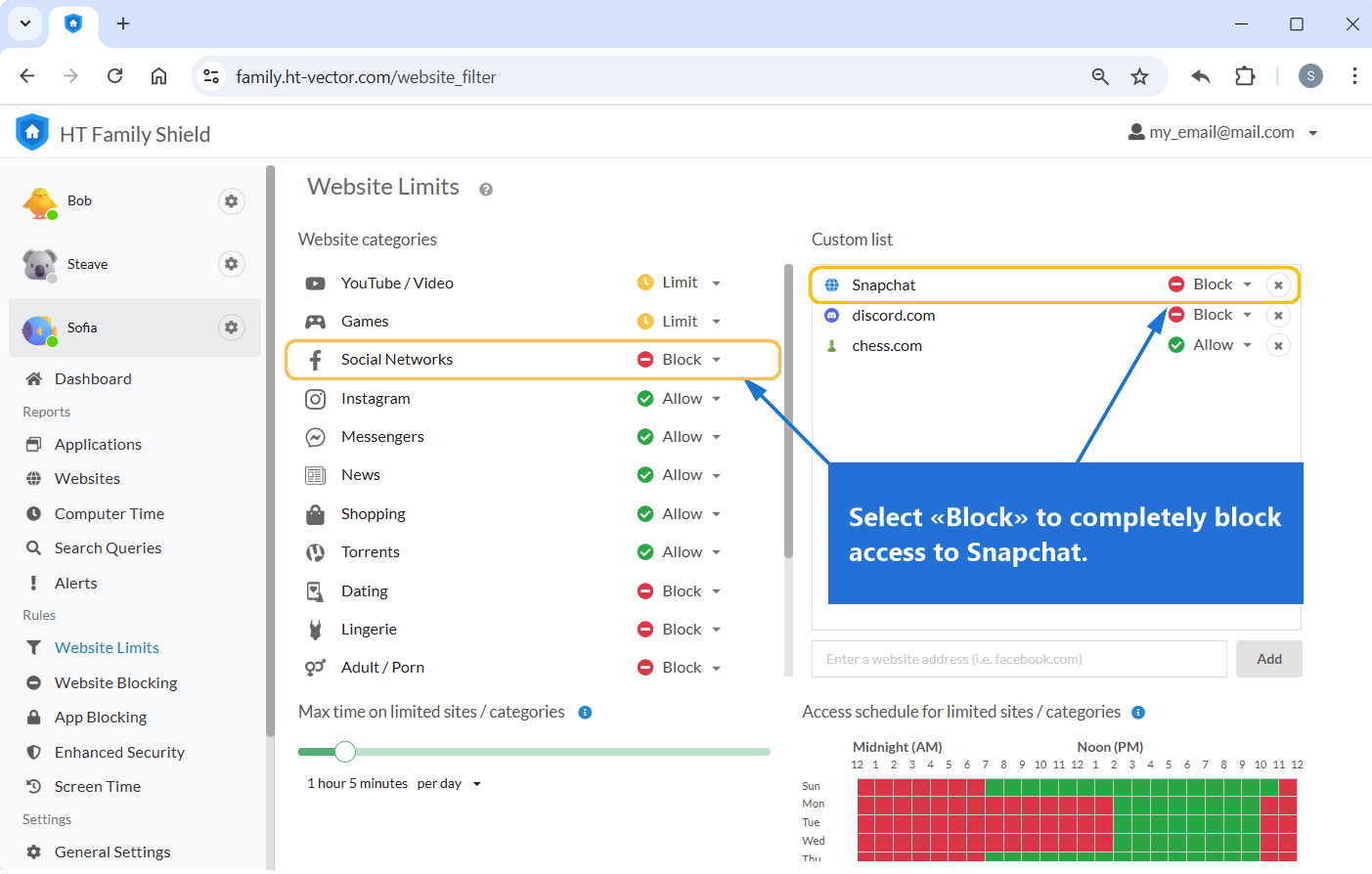
- Go to Rules > Web Limits.
- Add the keyword snapchat and select Block to completely block access to Snapchat.
- Alternatively, use the Social Networks category to block all social media on your computer, including Snapchat.
Click to enlarge
How to Limit Snapchat to Improve Productivity
Instead of completely blocking Snapchat, you can set time limits to control its usage. This is useful for:
- Helping teenagers balance social media and homework.
- Enhancing productivity for users who want to minimize distractions.
To limit Snapchat for a certain time:
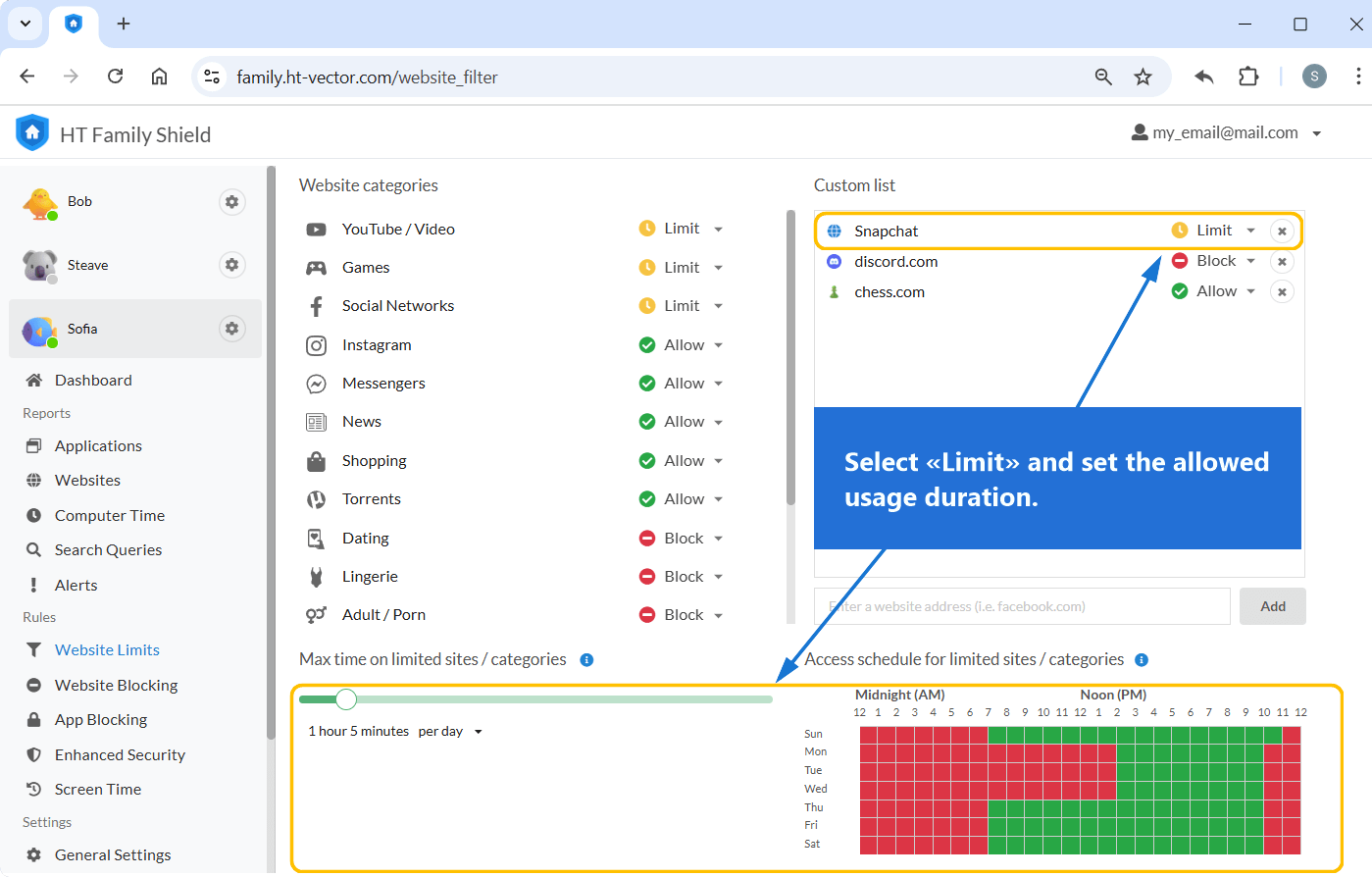
- Go to Website Limits.
- Add the keyword snapchat and choose Limit for it.
- Set the allowed usage duration. For example, you can limit Snapchat to 1 hour per day.
- Create a schedule to specify allowed access times, such as after homework or during breaks.
Click to enlarge
Viewing Usage Reports
HT Family Shield offers comprehensive reports on internet activity, enabling parents and users to track the amount of time spent on Snapchat. These insights help you make well-informed decisions about setting restrictions or time limits.
- Log in to your dashboard at https://family.ht-vector.com. You can access it remotely from any device.
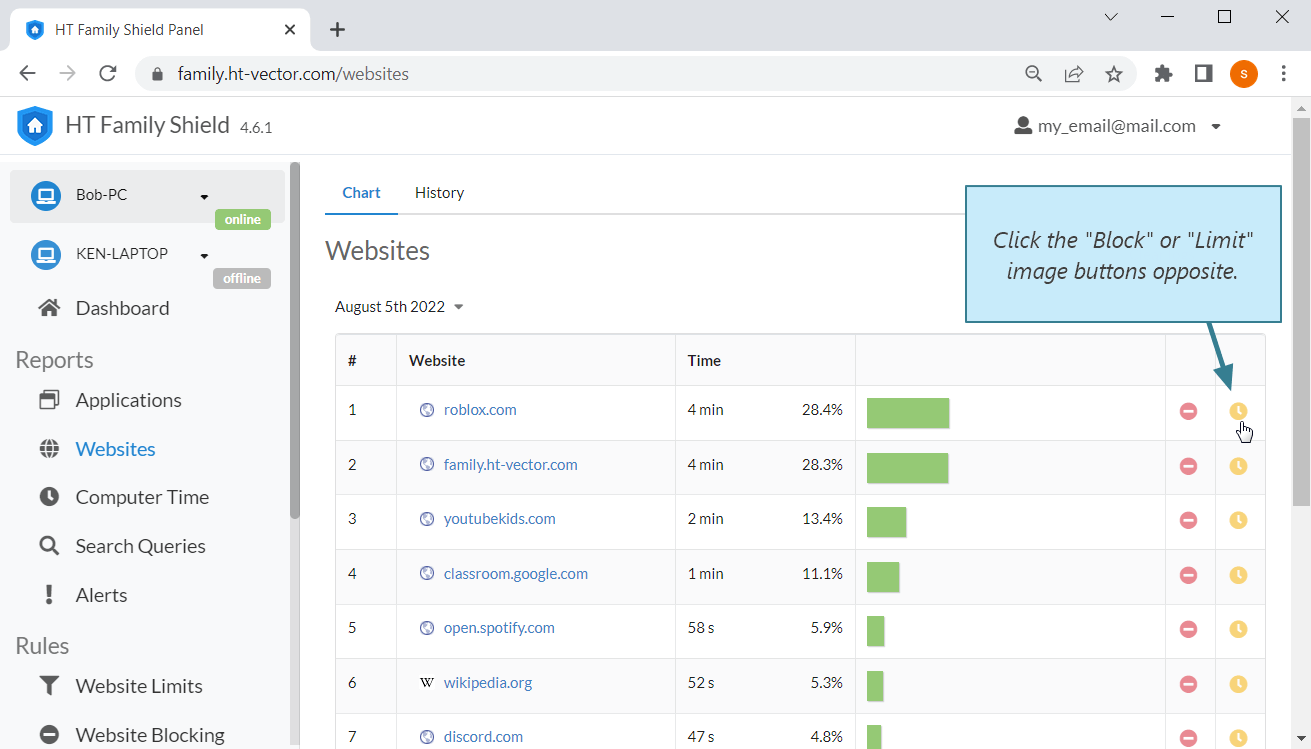
- Select Reports > Websites to view detailed usage statistics.
- From the report, you can directly block or limit Snapchat or any other distracting website. Click “More options” (?) and select an action.
Click to enlarge
Why Use HT Family Shield?
- 🚫 Complete Control: Block or limit Snapchat and other social media apps.
- ⏰ Custom Time Rules: Set specific time rules to manage screen time effectively.
- 📊 Detailed Reports: Monitor usage and make informed decisions.
- 💡 User-Friendly: Easy setup with a simple and intuitive interface.
Last updated: November 21, 2025