
 How to Block Reddit on PC and Block Specific Subreddits
Reddit has a community for everything — which is exactly why it’s so easy to lose an evening scrolling it, and why parents worry about what kids find there. Some subreddits are harmless, others are full of adult content.
This guide shows how to block Reddit on a Windows PC or laptop in every browser, how to block or mute a specific subreddit, how to block NSFW subreddits, and how to set daily time limits with HT Family Shield. Setup takes about 5 minutes.
How to Block Reddit on a PC or Laptop (All Browsers)
Blocking Reddit at the computer level stops it in every browser at once — Chrome, Edge, Firefox, Opera and Brave — so switching browsers won’t get around it.
- Download HT Family Shield and install it on your child’s computer, then create an account.
- Open your parental dashboard at https://family.ht-vector.com from any device.
- Go to Rules > Website Limits.
- Add
reddit.comto the Custom List and choose Block.
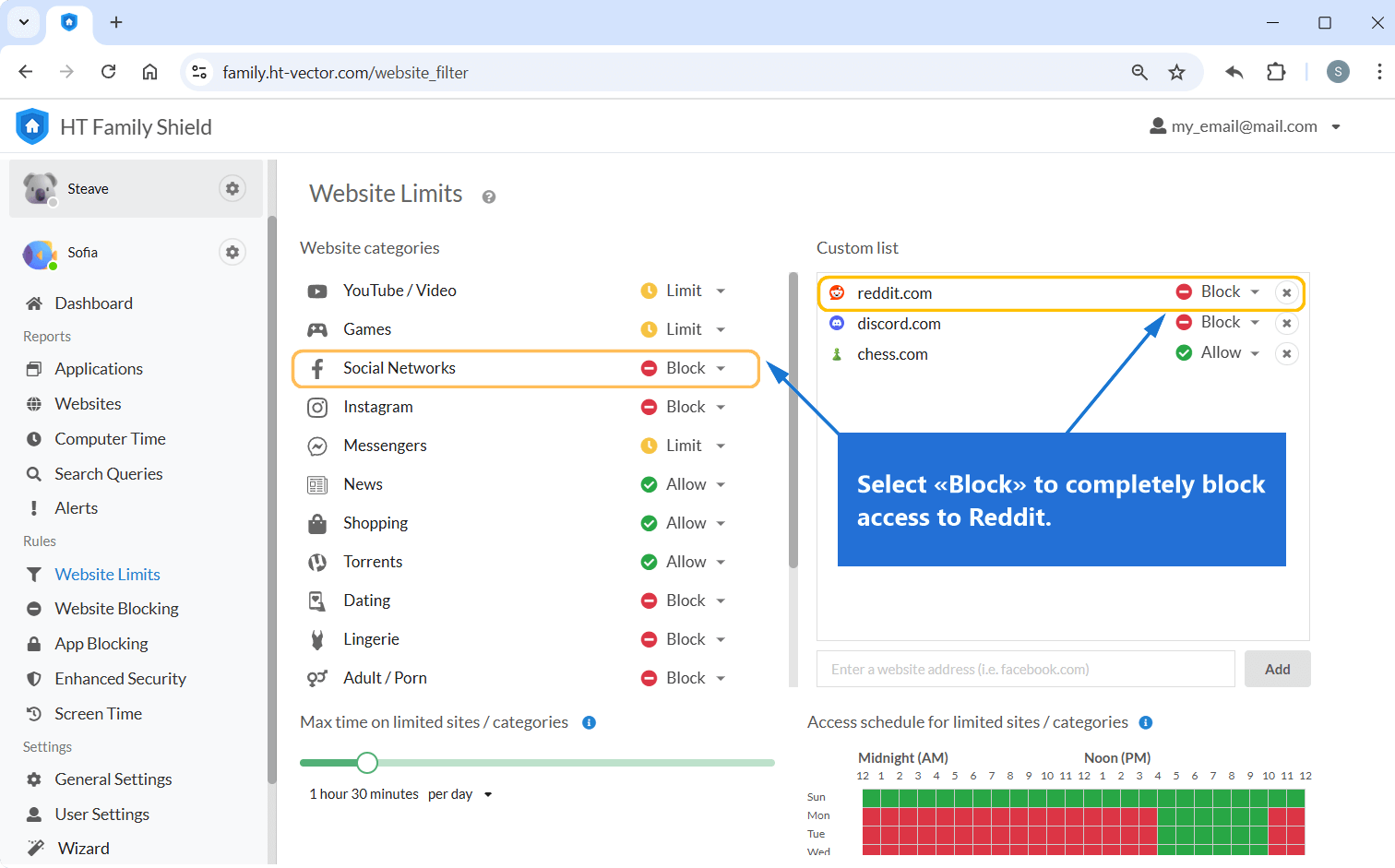
Click to enlarge
14-day free trial. No credit card. Windows 11/10.
How to Block a Specific Subreddit
You don’t always need to block all of Reddit. A subreddit is a Reddit community, and there are two ways to block one: hide it with Reddit’s own Mute option, or block it for real.
Option 1: Mute the subreddit in Reddit
- Log in to Reddit and open the subreddit you want to hide.
- Click or tap the three-dot menu (⋮) next to the Join button.
- Choose Mute. Posts from that community disappear from the Home feed, Popular feed and notifications.
Option 2: Block subreddits with addresses, keywords and categories
- In your dashboard, go to Rules > Website Limits.
- Add to the Custom List a subreddit’s address, for example
reddit.com/r/subredditname, or a keyword: a subreddit name, ornsfwto catch adult communities. Choose Block. The rest of Reddit stays available. - To block whole groups of sites, set categories like Adult or Violence to Block.

Click to enlarge
How to Limit Time on Reddit
Instead of blocking Reddit completely, you can restrict it to a set amount of time. This works well for teenagers who use Reddit for hobbies or homework help, and for adults who want to stay focused.
- In your dashboard, go to Rules > Website Limits and add
reddit.comto the Custom List. - Choose Limit and set the allowed time, for example 1 hour per day.
- Add a schedule for when Reddit is allowed, such as evenings after homework.

Click to enlarge
How to Check Reddit Activity in Reports
Reports show how much time is spent on Reddit and every other site, so you can see whether the limits work and spot new sites your child moves to.
- In your dashboard, open Reports > Websites.
- Check the time spent on Reddit and the other sites in the list.
- Click the three-dot menu (⋮) next to any site and choose Block or Limit right from the report.
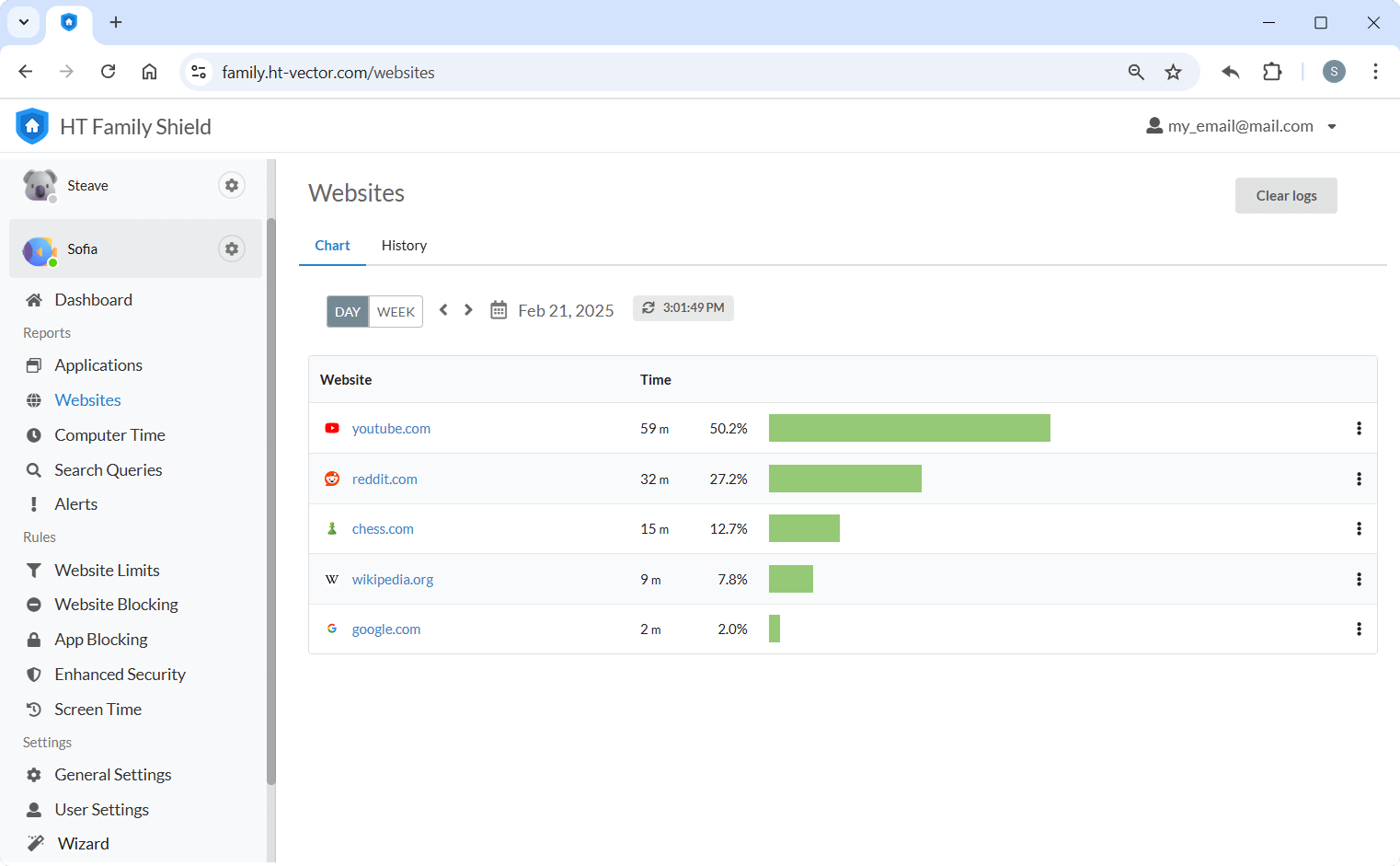
Click to enlarge
Can You Block Reddit on a Phone?
HT Family Shield works on Windows computers. On phones, use the built-in tools: Screen Time on iPhone and Google Family Link on Android. Both can block or limit the Reddit app, and you can block reddit.com in the phone’s browser too.
FAQ and Common Concerns
reddit.com/r/subredditname, to the Custom List in Website Limits and choose Block.reddit.com to the Custom List in Website Limits and choose Block. The block works in Chrome and in other major browsers on the same computer, so switching to Edge or Firefox won’t get around it.nsfw to the Custom List and set the Adult category to Block. Reddit also has its own mature content setting, but a teenager can simply switch it back on.Whether you want to block Reddit completely, keep a few subreddits out, or just set fair limits, HT Family Shield does it from one dashboard — and shows you what really happens on the computer.
Last updated: November 2, 2026